

What is Conversational AI?
The Conversational AI feature lets business and data users ask questions like:- “Top 10 countries by high-value customers and their average churn score?”
- “What’s revenue growth QoQ by region?”
Access & Navigation
1
Open the left navigation bar
Open the left navigation bar in the 5X Platform.
2
Click Conversational AI
Click Conversational AI.
3
Start chatting
You’ll land on New Chat, with tabs for My Chats, Team Chats, and Flagged Chats.
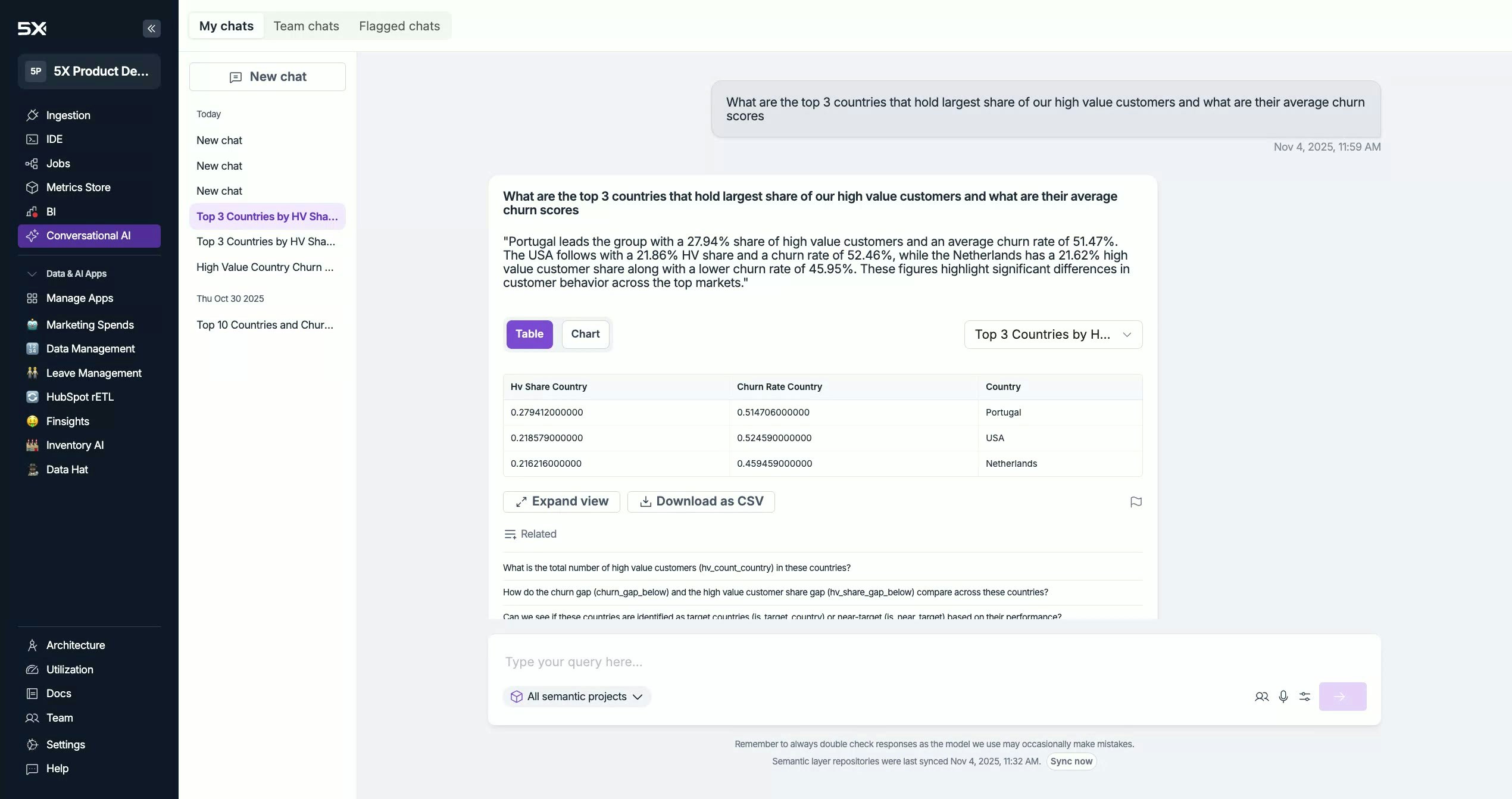
Start a New Chat
- Type your question in English in the input box.
- Press Enter to run the query.
- Typical response time: ~10–15 seconds (may be faster when cached).
Project Selection (Metrics Store)
Choose which Metrics project(s) to query:-
All Projects (recommended if you’re unsure which project has the right metric)
- The system matches your question to the best project before execution.
- Specific Project (faster when you know exactly where the metrics live)
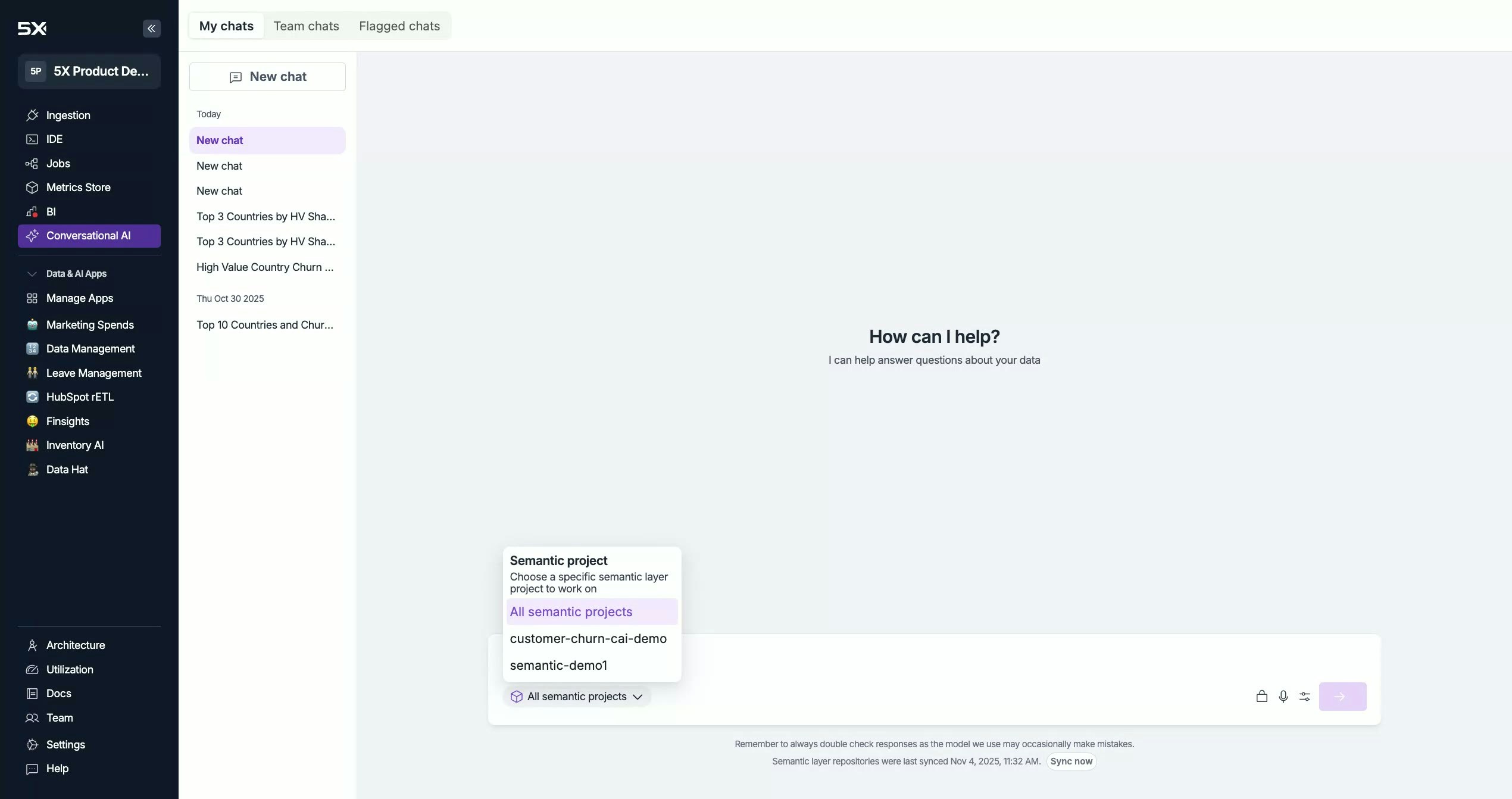
Voice Input (Mic)
Click the mic icon to speak your question instead of typing. Make sure your browser permissions allow microphone access.Sync Now (Metadata Refresh)
If a developer just added/updated metrics in the Metrics Store and you don’t see them yet:- Click Sync Now to force a metadata refresh.
- Conversational AI ingests the latest metadata within ~5 minutes.