

Alerting overview
Why set up alerts?
Stay informed:- Immediate notification of job failures
- Success confirmations for critical workflows
- Address issues before they impact business
- Monitor job health and reliability
- Track performance trends
- Ensure SLA compliance
- Notify relevant team members
- Escalate critical failures
- Share success metrics
- Coordinate response efforts
Setting up alerts
Creating job alerts
Configure alerts for specific jobs:- Navigate to your job in the Jobs section
- Click the bell icon or “no alerts set” indicator
- Select “Set alert” to configure notifications
- Choose alert types and notification channels
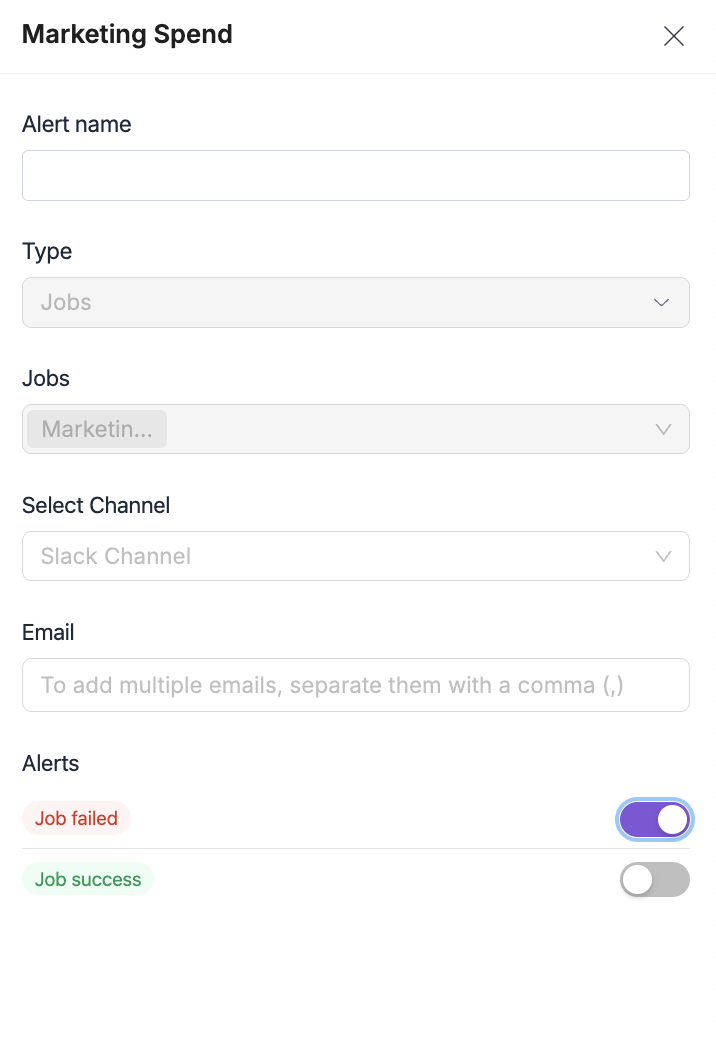
Alert configuration options
Alert types:- Job failed - Notify when job execution fails
- Job success - Confirm successful job completion
- Email - Direct email notifications
- Slack - Channel or direct message notifications